


Today we will share knowledge on how to detect if time settings are off your Windows or Linux machine.
Dependencies for the project: Of Course you need a Zabbix server. At least version 4.2.
Time settings must be correct on the master server and all your Zabbix proxies.
What gives this approach a special value is that it’s designed to work on the cases where the agent active checks are the only option. And let’s remind ourselves that active checks are the best checks in the world because the agent is pushing information to the server and the server is doing nothing but accepting incoming data and calculating triggers.
How does everything work? The template consists of 3 items:

Only one item is gathering data. This is a master item. The master item is utilizing a Zabbix agent and collecting what is a local time of this machine:

Magic happens inside the preprocessing section where the JavaScript already is calculating what is the time difference between server and agent:
return Math.round((new Date()).getTime() / 1000 - value);

This is possible because JavaScript is executed on the backend server and JavaScript engine already knows what is the correct time.
If the clock of the agent machine is running in the future then the reported metric will be a negative number. This negative number cannot be stored inside the integers or float table so I will store this Type of information as Character:
We have also 2 dependable items. One will determine what is the offset. This is done by grouping together all digits as one number:
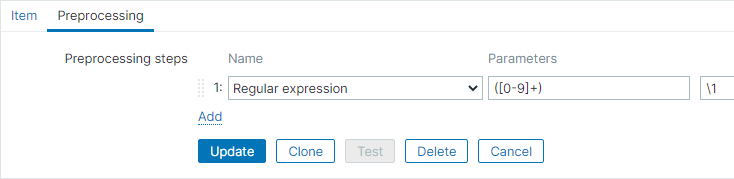
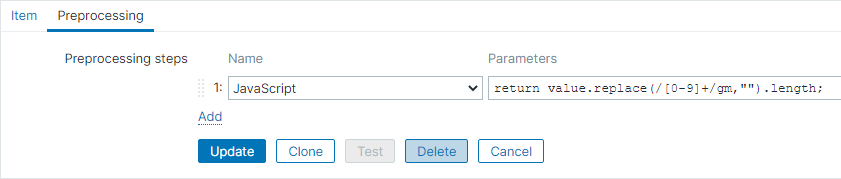
The second item will determine if agent time is shifting in the future or in past. This is done by detecting if the string contains a minus sign or NOT. Quite funny preprocessing here, we are replacing all digits with nothing. Then counting what is the length of the string:
return value.replace(/[0-9]+/gm,"").length;
For the trigger expression, we will use all (and only) dependable items for input. To detect if agent time has shifted in past, mainly we are looking if the second dependable item was having a minus sign (agent.time.shifted.in=0):
{Time is off by Zabbix agent active:agent.time.offset.min(#3)}>{$AGENT_TIME_DIFFERENCE}
and
{Time is off by Zabbix agent active:agent.time.shifted.in.last()}=0
To determine if time has shifted in future we detect if there is a minus sign (agent.time.shifted.in=1):
{Time is off by Zabbix agent active:agent.time.offset.min(#3)}>{$AGENT_TIME_DIFFERENCE}
and
{Time is off by Zabbix agent active:agent.time.shifted.in.last()}=1
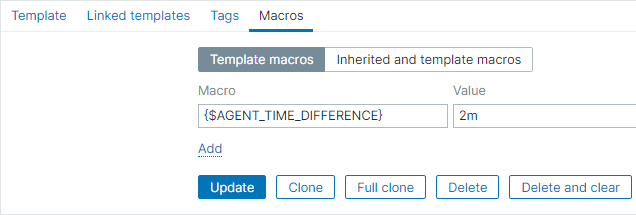
The threshold for the trigger can be adjusted in the Macro section of template:
Template downloadable here:
https://assets.zabbix.com/templates/share/template_zabbix_agent_time_is_off.xml
(At least Zabbix 4.2 version required)
Video explanation (13 minutes):
https://youtu.be/bSQ1xV1nmqU

 Prev Post






This is a placeholder comment.
This is a placeholder comment.
This is a placeholder comment.